LZ Camera Bridge
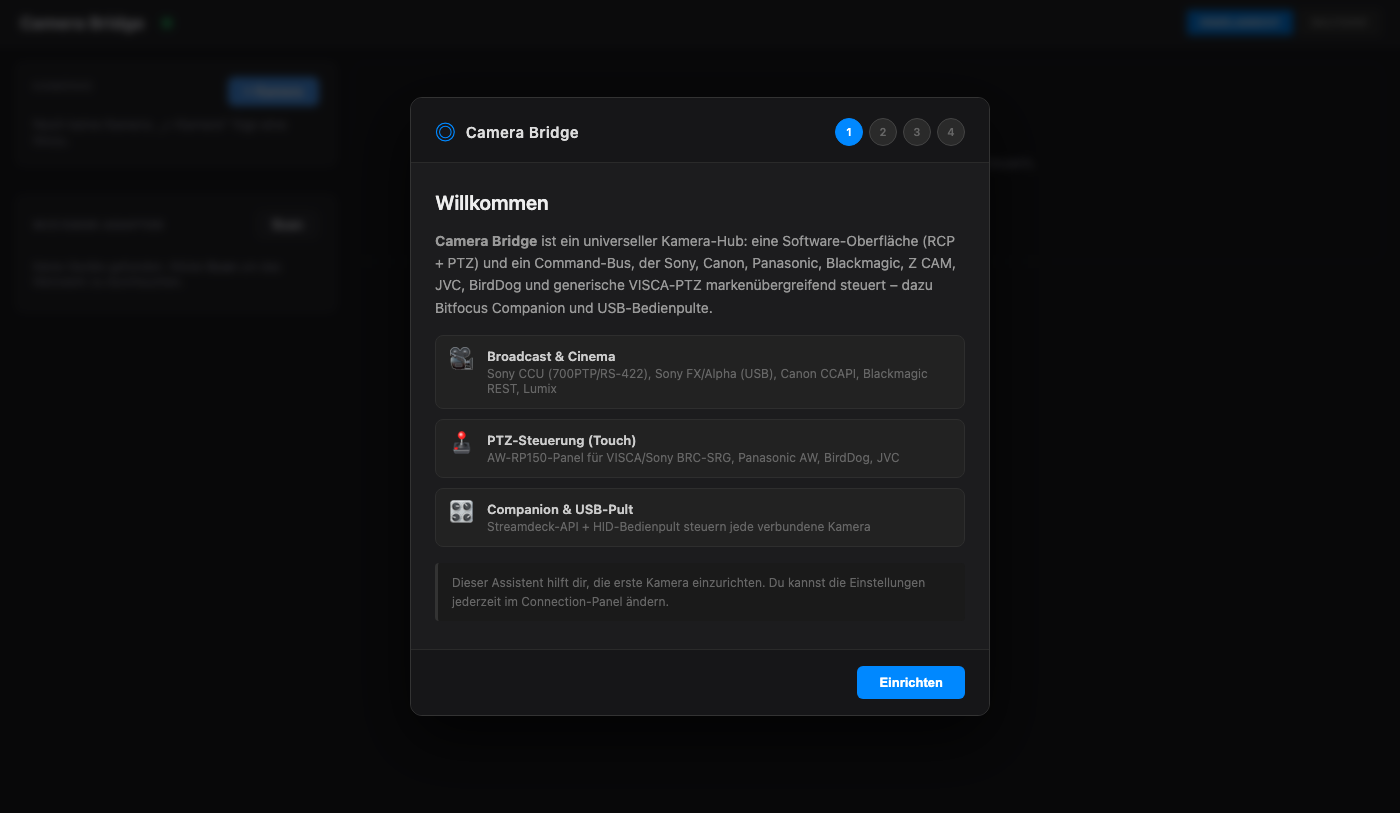
A universal camera-control hub. One software interface — a broadcast-style RCP (paint controls) and a touch PTZ panel modelled on the Panasonic AW‑RP150 — plus a normalizing command bus that drives cameras from many vendors over their native protocols. The same commands also reach every camera from a Bitfocus Companion surface or a USB control panel.
Name vs. repository slug. The product is LZ Camera Bridge; the repository is still
larszu/sony-camera-bridge, and that mismatch is deliberate (decided 2026-09-16), not an oversight someone forgot to clean up. Renaming a repository moves the Pages address and every clone URL, so it is a separate decision from renaming the product. Everything that is the product carries the new name — window title, installer, executable, app id, package names, Companion module id. Everything that is a coordinate — GitHub URLs, the Pages address,BRIDGE_SOURCE.repoin the multicam-planner — still sayssony-camera-bridge, because that is where the files actually live. Do not "tidy" one side into the other: a coordinate that points nowhere is worse than an inconsistent name.Status: the bridge, protocols and UI are real and build clean; a committed unit-test suite covers the protocol framing. Where a family was verified against public docs or an official reference it is marked verified below. Items marked tuning need a first on-camera test to confirm value encodings. Nothing ships as a fake/demo device.
Download
One installation is the whole tool. The installer for Windows and macOS
carries the control surface and the bridge; the bridge starts with the
application, on ws://localhost:9700, and stops with it.
https://github.com/larszu/sony-camera-bridge/releases
That was not always true, and the difference matters if you read an older note: until 2026-09-16 the installer shipped the panel alone. It came up looking complete and reconnected every three seconds against a bridge that nobody had started — you were expected to run a second process out of a clone of this repo, and nothing in the application said so. Now the panel finds its bridge because the application brought it.
A separate bridge is still perfectly legal, and for a control room it is the normal case: run the bridge where the cameras are and point tablets at it (see Other devices on the same network). If port 9700 is already taken the application says so and uses the bridge that is already running, instead of failing silently.
The web page
Every push to the default branch builds this repo's page from
.github/workflows/pages.yml and publishes it:
https://larszu.github.io/sony-camera-bridge/
The workflow asks the Pages API before it configures anything. With no Pages site it still builds — that is a real check — and skips only the publishing step, with a warning and the one missing step in the run summary. A run that must stay red for a click nobody made teaches people to ignore red.
Measured 2026-09-16: published. The Pages site exists, and the deploy job
now runs through — the switch that no workflow can flip (GITHUB_TOKEN may not
create a site) has been thrown. Every push to master publishes by itself.
What the page carries is the README and docs/, rendered — not the UI
itself. That is deliberate and not an omission: web-rcp is a client that
needs the bridge, and on a Pages address it would look like the application
while operating no camera. The running program comes from the installer below.
Supported cameras
| Family | Mode | Transport | Status |
|---|---|---|---|
| Sony CCU (HXC/HDC, BRC) | tcp / serial |
700PTP over TCP :7700 / RS‑422 | paint verified; AWB/ABB deliberately disabled¹ |
| Sony FX / Alpha (FX3, FX6, A7 …) | sony-usb |
PTP vendor extension over USB (libusb) | verified (codes from libgphoto2) |
| Sony Monitor & Control (FX WiFi) | sony-mnc |
HTTP :10000 + SSDP discovery | unverified (undocumented app protocol) |
| Canon EOS (R5/R6/R7/R8/R10 …) | canon-ccapi |
CCAPI HTTP REST :8080 | verified (official CCAPI) |
| Panasonic Lumix (S1/S5/GH5/GH6 …) | lumix-http |
cam.cgi HTTP |
verified |
| Blackmagic (Pocket/Studio/URSA, FW 8.6+) | blackmagic |
/control/api/v1 REST + WS |
verified |
| Z CAM (E2 family) | zcam |
/ctrl/set HTTP |
verified |
| Panasonic AW PTZ (AW‑UE/HE) | panasonic-ptz |
aw_ptz / aw_cam CGI |
verified (AW protocol) |
| VISCA over IP (PTZOptics, Marshall, AVer, Sony BRC/SRG) | visca |
UDP :1259 (raw) / :52381 (Sony header) | verified |
| JVC ConnectedCam / KY‑PZ | jvc |
Digest login + /cgi-bin/api.cgi |
verified vocabulary (some steps tuning) |
| BirdDog NDI PTZ | birddog |
VISCA :52381 + REST :8080 | verified endpoints (tuning) |
| VISCA on a serial line (same heads, RS‑232/422 wiring) | visca-serial |
RS‑232 8N1, 9600 default, daisy‑chain address 1–7 | framing unit‑tested; not yet on a camera |
| DJI Ronin RS 2 / RS 3 Pro | dji-ronin |
DJI R SDK over CAN 1 Mbit/s via USB SLCAN adapter | framing unit‑tested; not yet on a gimbal² |
| DJI Osmo Pocket 3 / 4 | dji-osmo |
DUML over a serial (CDC) device | framing unit‑tested; not yet on a gimbal³ |
¹ Sony's 700 protocol is NDA-only; no public source documents the auto‑setup
command codes, so those buttons stay disabled rather than guessing at a
broadcast CCU. See packages/web-rcp/src/capabilities.ts.
² RS 2 and RS 3 Pro only. RS 3 and RSC 2 look the same and do not speak the SDK. Needs a USB SLCAN adapter (CANable, USBtin, Lawicel) on the focus‑wheel port — not SocketCAN, which is Linux‑only.
³ DJI publishes no control interface for the Pocket series, and its USB‑C port
serves storage and UVC webcam — there is no USB control path. The one
publicly reverse‑engineered route is Bluetooth LE; what ships here is DUML over
a serial device, and the BLE seam is prepared but not filled. Both gimbals move
the head only: a gimbal carries a camera, it is not one, so paint controls stay
greyed out. The full picture, including which constants to turn first if a
device stays silent, is in docs/dji-gimbal.md.
Control surfaces
- Web RCP — Sony-style paint panel (iris, master black/gamma, R/G/B white & black balance, gain, ND, shutter, bars). Buttons are gated per backend so unsupported functions are disabled, not silently failing.
- Touch PTZ panel — AW‑RP150-style joystick (pan/tilt with speed), zoom/focus rockers, push‑AF, iris and a paged preset grid with a store mode.
- Bitfocus Companion — HTTP + WebSocket module; Streamdeck actions route to whichever camera is connected.
- USB HID control panel — a data-driven adapter maps a hardware panel's axes/buttons onto the command bus, so one panel controls any brand.
Architecture
Input surfaces                 Bridge (command bus)              Camera backends
────────────────               ────────────────────              ───────────────
Web RCP  ─┐                                                      ┌─ Sony CCU (700PTP)
PTZ panel ┼─ WebSocket :9700 ─▶  BridgeServer                    ├─ Sony USB (PTP)
Companion ┼─ HTTP/WS :9701-2 ─▶   dispatchCameraCommand ─(RCP)──▶├─ Canon CCAPI
HID panel ─┘                      + per-mode connect/state       ├─ Lumix / Z CAM / Canon
                                                                 ├─ Blackmagic REST
                                                                 ├─ VISCA (raw / Sony)
                                                                 └─ Panasonic/JVC/BirdDog PTZ
Every backend exposes the same handleRcpCommand(cmd, params) contract, so a
single command vocabulary (setIris, setMasterGain, ptz, recallPreset, …)
fans out to all of them. A visual walk-through lives in
docs/architecture.html.
Paint values can be trimmed relatively (cmd: 'nudge') instead of only jumped
to: one resolution for every path — WebSocket, Companion buttons, the RCP's
up/down selectors — against the value the bridge has actually read. Where it has
read none, the trim is refused with a reason rather than started from a guessed
128. The bus scale of every value, and what each backend makes of it, is
documented in docs/paint-nudge.md.
Every paint value on the panel says where it comes from: read back from the
device, or merely the last thing the bridge sent. Which is which is decided per
field and per connection mode by a table that was read out of this repository's
own backends — five of the twelve paths read nothing back at all, and the panel
says so once at the top instead of marking twenty knobs. See
docs/value-origin.md.
Live-video feasibility per camera family — which cameras can show a live
picture in the panel, at what cost — is documented in
docs/live-video.md.
A USB control surface drives the bridge instead of the other way round: a
gamepad, or a panel you build yourself. A PlayStation controller is recognised
by vendor/product id and gets a drive mapping (left stick pan/tilt, analog
triggers zoom, face buttons presets); anything unknown keeps the paint
mapping it always had. That split is a safety boundary and not a convenience —
setIris is a 9-byte VISCA packet whose bytes 6/7 the DigitalBird DB3 decoder
reads as a pan/tilt direction, so a stick on iris makes that head drive off.
The parts list for a panel of your own, and the compatibility check against the
DB3 head, are in docs/ptz-pult-hardware.md; the
two things that still need a real device are in
docs/ptz-pult-messprotokoll.md.
The bridge reads the camera-list the AV Planner Suite's MultiCam Planner
exports and holds it against the cameras on the bus, so the control wall can
label a slot the way the show calls it ("CAM 3 — Bühne links") instead of by
number. Every match carries evidence — a measured model, a mere convention, or a
human — and where there is none, there is no match. See
docs/camera-plan.md.
A B4 lens reports its name, open f-number, focal lengths and MOD over the
serial protocol. Those are readings from one piece of glass, not
capabilities of this repo, so they stay out of the caps:parity contract — the
reasoning, and where they live instead, is in
docs/b4/lens-facts-vs-capabilities.md.
Packages
| Path | What it is |
|---|---|
packages/bridge |
Node/TypeScript bridge server, camera clients, protocols, HID input |
packages/web-rcp |
React UI (RCP + PTZ panel, connection wizard) |
packages/companion-module-lz-camera-bridge |
Bitfocus Companion module |
packages/electron-app |
Desktop application: the web UI and the bridge, bundled into one installer |
packages/firmware |
WIZ108SR serial↔TCP bridge firmware (C) |
Source language: en. New user-facing text goes in English. That is not a
preference but a measurement: the UI already carries roughly 140 English spots
against 32 German ones, and its vocabulary is the technical one anyway — Iris,
Gain, ND, Paint. Rewriting the English into German to then put „Blende" next to
WB costs work and makes the result worse. Decided 2026-09-08 (E-17);
multicam-planner is English-source as well, while cable-planner and
light-planner are German-source. The machine-readable copy of this
declaration sits in package.json under avplan.sourceLanguage.
The German spots that are still there are a mixed-language product, not a
translation backlog — the same dialog shows both. npm run lang:check counts
them and holds the count at the level measured when the check was introduced:
while that cleanup is open, the existing ones may stay, but the mix must not
grow. Translating some means lowering the limit in the same commit.
Getting started
npm install            # workspaces install
./dev.sh               # Linux / macOS — bridge + web UI, demo camera preselected
npm run dev            # the same via npm (bridge backgrounded with `&`)
npm test               # protocol framing unit tests
Try it without a camera
Pick the Demo (no camera) tab in the connection panel and connect. The panel then talks to a state held in the bridge: move a control and the value follows, so the surface — RCP, joystick, layout — can be tried on a laptop.
Before this, npm run dev always started but could not show anything:
every backend in backendFactory needs a real address (a CCU on TCP, a VISCA
port, a USB device in PC-Remote mode). Without one the panel came up empty
and every control was inert.
It is not a camera simulator. Nothing drifts, nothing is measured, and
every value moved because a command moved it. The state carries an isDemo
flag all the way to the dashboard, so a demo value can never be mistaken for
a reading from a real device — that is the same line valueOrigin.ts draws
between commanded and confirmed, and test/demoKamera.test.ts holds it:
one case asserts that nothing changes over 600 ms with no command, another
that isDemo survives mapState.
dev.sh also cleans up after itself. npm run dev appends the bridge with
& and leaves it: a Ctrl-C ends only the web UI, the bridge stays on port
9700, and the next start fails on it.
Other devices on the same network
The bridge binds every interface and now prints the addresses you can hand
out, not just localhost:
[BridgeServer] WebSocket listening on ws://localhost:9700
[BridgeServer]                     ws://192.168.1.42:9700  (same network)
All detected addresses are listed rather than one being guessed: on a machine with a Docker or VPN bridge the first one is often the wrong one.
Build individually:
npm run build --workspace=packages/bridge
npm run build --workspace=packages/web-rcp
Optional native modules (loaded lazily, not required to build/run):
npm install usb      --workspace=packages/bridge   # Sony USB (PTP) discovery/control
npm install node-hid --workspace=packages/bridge   # USB control-panel input
First run
Open the web UI and follow the setup wizard: pick a camera family, enter its address (the wizard shows the right defaults per protocol), and connect. PTZ cameras open the joystick panel automatically; paint cameras open the RCP.
- Sony BRC/SRG PTZ: choose the VISCA over IP tab and set port 52381 — the Sony transport header is applied automatically.
- Sony FX/Alpha USB: put the camera in PC Remote mode; install the
usbmodule on the host. - Canon: activate CCAPI once via Canon's tool, then enter the shown IP/port.
- VISCA on a cable: the VISCA RS‑232 tab. Most heads ship at 9600 baud, address 1. Not the same as the 8‑Pin RS‑422 tab next to it — that is Sony's 9‑pin protocol on a different cable with different framing (odd parity).
- DJI gimbals: the DJI Ronin and DJI Osmo Pocket tabs move the head
only. Read
docs/dji-gimbal.mdfirst — it says what is proven and what is not, and there is no USB control path for the Pocket.
License
Proprietär — © 2026 Lars Zumpe, alle Rechte vorbehalten. Nutzung der veröffentlichten Builds ist kostenlos; Weiterverbreitung und abgeleitete Werke sind es nicht. Siehe LICENSE.